- Objectifs pédagogiques
- Sections du cours
- Avis
We know that workers who use Generative AI complete tasks 25% faster, and produce 40% better quality. But did you know that the more personalized and integrated the Generative AI is to your day-to-day workflow, the more benefits you get? Also, with advancements in no-code platforms, it’s now very easy to build powerful apps / solutions without coding.
What does this all mean? Everyone can now create powerful and impactful Generative AI apps / solutions to be more productive at work and to save you time, all without writing one single line of code.
This is relevant for all working professionals. What would you do if you were able to work faster and have more time? Imagine creating something that saves you 30min every day – what will you do with that time? Imagine building something for your company that saves every employee 1 hour every week
Learn from more than 5 hours of relevant instructional video content, where we build 3 real Generative AI apps / solutions related to work productivity. We will build a PDF chatbot, a receipt expense photo app, and a Q&A data assistant, all with no-code tools.
What is this course all about?
This course is all about teaching you how to build Generative AI apps / solutions with no-code tools, by actually building these tools from scratch. The idea here is that you can learn how to create personalized and customized apps / solutions that will make you more productive at work and save you so much time. In this course, we build amazing Generative AI apps with no-code tools that make you more productive at work.
Why is this important?
There are 3 indisputable facts:
-
People are more productive if they use Generative AI in their day-to-day workflow
-
There has been rapid advancements in Generative AI technology and the more personalized and specific the Generative AI app or solution is, the better it is for you
-
Anyone can now build apps and solutions with no-code technology
What does all this mean? You can now build Generative AI work productivity apps / solutions with no-code tools.
What Generative AI apps / solutions will we build?
-
Generative AI PDF Q&A and Chatbot – ChatGPT on your specific data in PDF files and available in Teams
-
Generative AI Receipt Expense Photo App – Users can take photos of your expense receipts and extract the relevant details for expense reports
-
Generative AI Q&A Data Assistant – An app that acts as a Q&A assistant on your tabular data
What no-code tools will we cover?
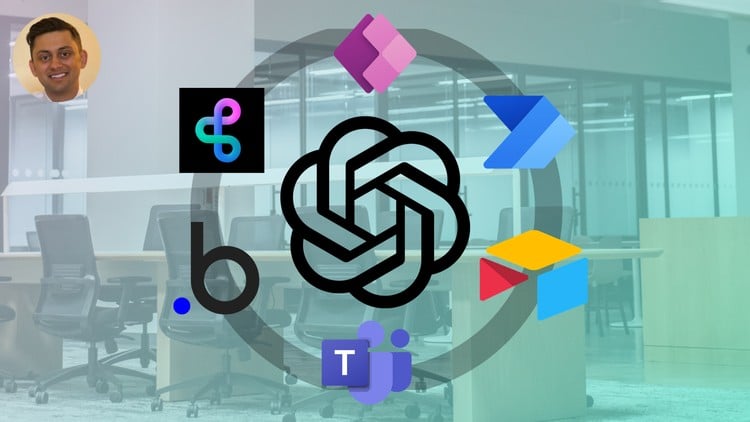
Bubble, Power Apps, Power Automate, Teams, BuildShip, Airtable, OpenAI API
What will you learn?
-
Build 3 real Generative AI apps / solutions – Gain practical skills in creating a PDF chatbot, a receipt expense photo app, and a Q&A data assistant, all tailored for enhancing work productivity with no-code tools
-
Learn to integrate Generative AI with no-code – Master the integration of generative AI into custom, no-code applications to streamline workflows and save time
-
Be more productive and work faster – Get the know-how to leverage Generative AI for automating tasks, leading to significant time savings and a boost in productivity at work
Why choose this course?
-
Focus – this course focuses on building impactful work productivity apps / solutions using Generative AI, all with -no-code tools
-
Complete guide – this is the 100% start to finish, zero to hero, basic to advanced guide. There is no other course like it that teaches you everything from start to finish. It contains over 5 hours of instructional content!
-
Fully instructional – we not only go through important concepts, but also apply them as we are building our application so that we can solidify them. This is not only a walkthrough of the all the features and theoretical concepts, but a course that actually uses real-life examples and integrates workflows with you.
-
Step by step – we go through every single step when we build these Generative AI apps from scratch. This improves your probabilities of learning this rather than going haphazardly through each feature.
-
Teacher response – if there’s anything else you would like to learn, or if there’s something you cannot figure out, I’m here for you! Look at the ways to reach out video.
Course overview
-
Introduction – learn what this course is about, the roadmap, and how to succeed
-
No-Code Tools Overview – learn the no-code tools we will be using to build the Generative AI applications
-
Build – PDF Chatbot – ChatGPT on your specific data in PDF files and available in Teams
-
Build – Receipt Extractor – Take photos of your expense receipts and extract the relevant details for expense reports
-
Build – Data Assistant – An app that acts as a Q&A assistant on your tabular data
-
Conclusion – earn your online certification, and read about next steps
If you want to learn how to improve your productivity by building your own Generative AI apps / solutions with no-code tools, then this is the course for you. We’re looking forward to having you in the course and hope you earn the certificate.

-
17
 Introduction - what we will build
 -
18
Create the OpenAI API Assistant
-
19
Create the API workflow in BuildShip
-
20
Adding then OpenAI API Assistant to BuildShip
-
21
Test and complete the back-end
-
22
Create user interface in Bubble
-
23
Add API in Bubble
-
24
Create Bubble workflow and test application
-
25
Change the knowledge PDF
-
26
From Q&A to Full Conversation
-
27
Build the back-end of a Full Conversation chatbot
-
28
Create the user interface
-
29
Connect the user interface to the back-end
-
30
Test the Full Conversation chatbot
-
31
From Bubble to Teams
-
32
Create OpenAI Assistant and adjust BuildShip
-
33
Create the workflow in Power Automate 1
-
34
Create the workflow in Power Automate 2
-
35
Test the Teams chatbot
-
36
Introduction - what we will build
-
37
Workflow overview
-
38
Create PowerApps and Azure Storage Account
-
39
Link PowerApps and Azure Storage Account together
-
40
OpenAI Image Vision and GPT4 Vision
-
41
Use Buildship to connect the pieces together
-
42
PowerApps - make image upload name dynamic
-
43
Linking Power Apps and Power Automate together 1
-
44
Linking Power Apps and Power Automate together 2
-
45
Add Page 2 to Power Apps
-
46
Use BuildShip to add records to Airtable
-
47
Link PowerApps to BuildShip with Power Automate
-
48
Test and Run the Solution